All games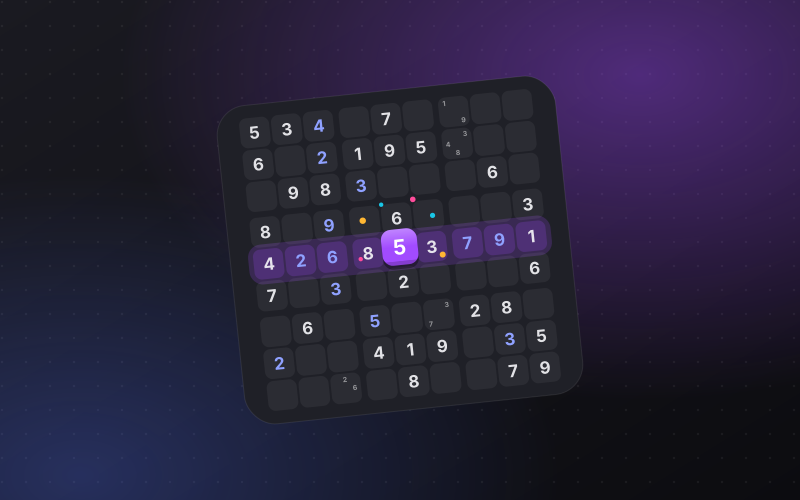
Logos Sudoku
Fill the grid so every row, column and box holds 1 to 9. Notes, undo, three levels.
- Players
- Solo
- Modes
- Solo
- Languages
- English, Turkish
Logos Sudoku is the classic nine by nine logic puzzle. Pencil in notes, undo a move, and pick the level that suits you.
How to play
- Pick a level: easy, medium, hard or expert.
- Select an empty cell and place a digit from 1 to 9.
- Each row, column and 3x3 box must hold every digit exactly once.
- Turn on Notes to pencil in the digits a cell could still be.
- Stuck? Undo a step back, or ask for a hint.
Keyboard
- Arrow keys
- Move between cells
- 1-9
- Place a digit
- Backspace / Delete / 0
- Erase
- N
- Notes on or off
- Z / U / Ctrl + Z
- Undo
- H / P
- Hint / Pause
Phone
- Tap a cell
- Select it
- Tap a number below
- Place it
- Notes
- Pencil marks on or off
- Erase / Undo
- Clear a cell / step back
- Hint
- Fill one cell for you
Leaderboard · Top 50
Best per player, all time.
No finished games yet. Be the first.
Credits and licence
Based on sudoku.js (Copyright (c) 2014 Rob McGuire-Dale), under the MIT licence. Our changes, name and art are LogosVox's.
Questions and answers
- How do I start a sudoku?
- Look for a row, column or box that is nearly full, and for digits that can only go in one cell of a box. Notes help on the harder levels.
- Can I undo a mistake?
- Yes. Undo takes back your last moves, and notes can be added or cleared at any time.
- Is it free?
- Yes. It is free to play in your browser, with no download and no account needed. Sign in with LogosVox only if you want your saves and best scores on every device.